

 Meghan Oates-Zalesky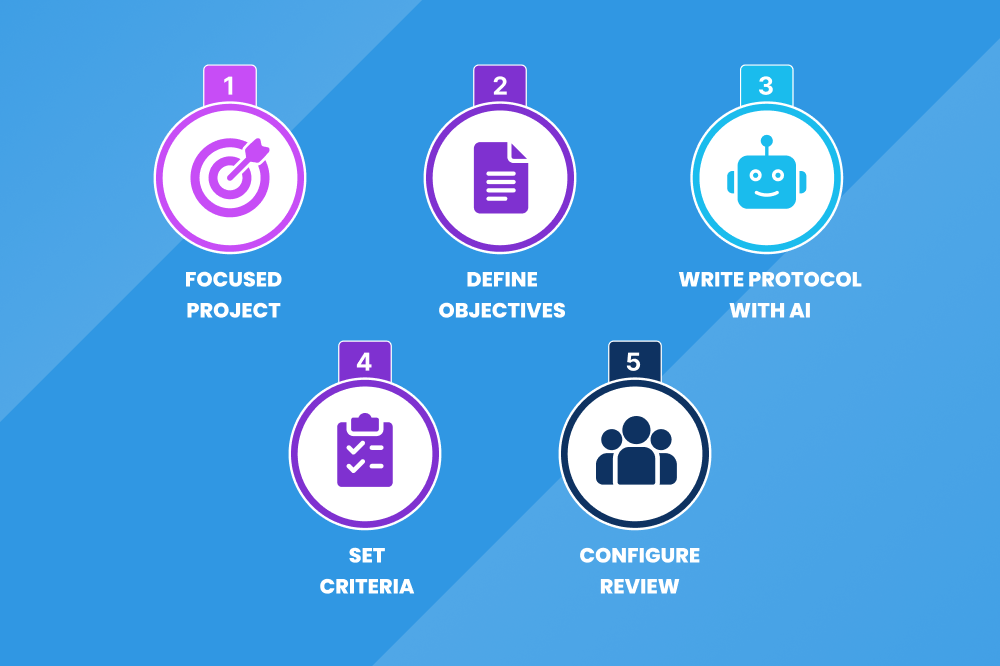
The Systematic Literature Review
Definition: Systematic Literature Review (SLR) is a rigorous, structured, and transparent process of identifying, analyzing, and synthesizing all existing research on a clearly defined question or topic, providing a comprehensive summary and critical evaluation of the evidence. If you’ve ever tried to pull together evidence for a big research question, you’ll know the feeling: endless searches, duplicate articles popping up everywhere, and the daunting task of screening hundreds of studies. The good news? Modern AI-powered workflows make the process faster, more consistent, and less exhausting while keeping you in full control. In this guide, you’ll learn a practical, end-to-end approach to conducting a high-quality SLR, from defining your question to generating reports.AI-Assisted SLR Process and the Steps
The steps in SLR are:- Set Up Your Project and Protocol
- Search and Import Articles
- Deduplication: Clean Up Your List
- Screening
- Data Extraction
- Data Analysis and Synthesis
- Reporting
The Prerequisites
- Access to major databases like PubMed and Embase
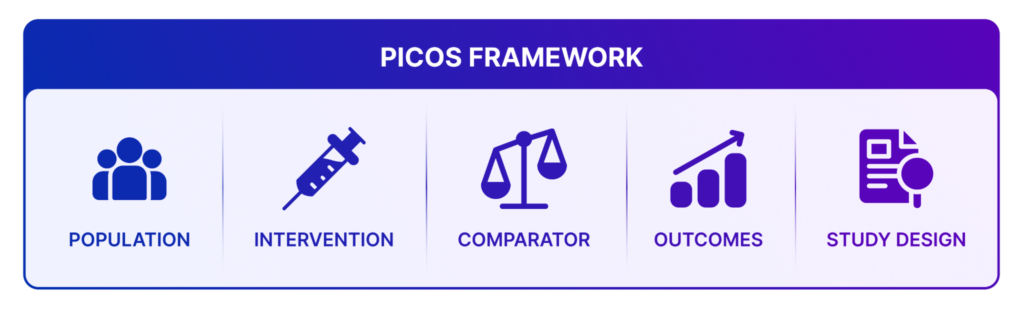
- A clear research question (often framed with PICOS: Population, Intervention, Comparator, Outcomes, Study Design)
- Full-text PDFs for included studies
- Optional but powerful: An AI-assisted platform with features for deduplication, screening, data extraction, and reporting
- Collaboration tools for working with a team (roles like admin, collaborator, or guest)
- Credits or resources for AI-powered tasks like automated screening and summarization
End-to-End Systematic Literature Review
The MadeAi application includes a stepper feature that guides you through each stage of the SLR process with clear, step-by-step navigation, making the workflow more structured, intuitive, and easier to follow.Step 1. Set Up Your Project and Protocol
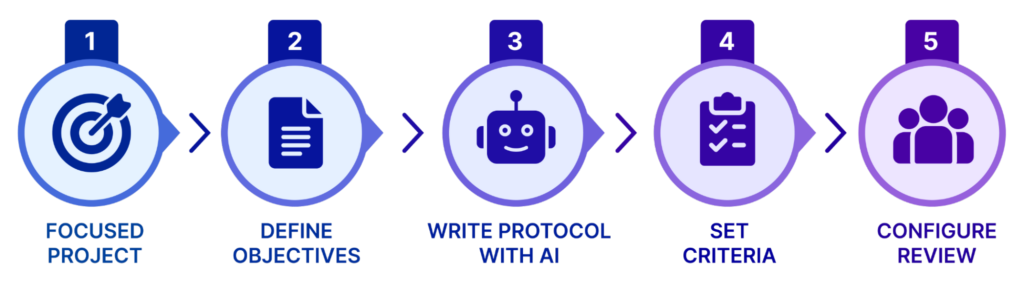 Every SLR begins with a well-formulated question. First of all, start by creating a focused project. Give it a clear title and define your study objectives. Generate or write your protocol using AI assistance. This includes:
 - Study title and objectives
- PICOS criteria
- Detailed inclusion/exclusion criteria
 Pro tip: AI can help draft these sections quickly. You can review and refine everything before launching.
 Step 2. Search/Import Articles and Living Review
The search phase is where the real work begins. When you set out to write an SLR, your mission is clear: uncover every relevant study that speaks to your research question. That means you can’t just skim the surface; you need to search thoroughly and strategically across multiple databases, such as PubMed or Embase, applying filters for publication date, study type, or language. Importing articles systematically ensures you don’t miss critical evidence. You can import results easily in exported formats like RIS, CSV, from other supported databases like Ovid, Wiley, Science Direct, or even via manual templates. You can also enable Living Review to automatically fetch new articles on a schedule (weekly, monthly, etc.). Once imported, the system moves you straight into deduplication.Step 3. Deduplication: Clean Up Your List
Here’s where things get messy. Multiple databases mean multiple duplicates. Deduplication is your clean-up crew. Automated tools help you identify unique, similar, and excluded articles. It’s not glamorous, but it saves hours of frustration and keeps your dataset clean. Articles are systematically classified into three categories, such as Unique, Similar, and Duplicate, to ensure clarity, streamline review workflows, and maintain data integrity. You can also perform the following tasks:- Isolate or recall articles.
- Mark as duplicate
- Add tags and comments for your team
Step 4. Screening
In the systematic review process, screening begins with the Title and Abstract phase—the first major filter where researchers swiftly assess each study’s title and abstract against predefined inclusion and exclusion criteria. Articles are marked as Relevant, Irrelevant, Doubtful, or Unavailable, either manually or with AI assistance that highlights key text and predicts relevance. Collaboration plays a vital role here; when reviewers disagree, discussions or a designated conflict resolver ensure consistency. Tags can be added to record reasons for decisions or to identify device-related appraisals, keeping the workflow transparent and organized. Once studies pass this initial stage, they advance to Full-Text Screening to ensure a deeper, more meticulous review. Researchers upload full-text PDFs, which the system automatically matches to their corresponding titles. Each document is examined thoroughly, again categorized using the same relevance scale. AI tools can spotlight critical passages, helping reviewers focus on essential evidence. Citation chasing, which includes both backward and forward, uncovers additional studies, while device appraisals refine methodological assessments. This stage ensures that only the most relevant, rigorously evaluated research forms the foundation for subsequent analysis.Step 5. Data Extraction
Once articles are marked as relevant during the full-text screening phase, they automatically progress to the Extract stepper for deeper processing. At this stage, the platform enables AI-assisted generation of both Data Extraction (DE) and Article Summary, helping streamline the review workflow. For included studies, reviewers extract key data by choosing either a Summary-Level model, which captures overall study characteristics, or an Arm-Level model, which provides more granular subgroup details. AI can auto-extract predefined fields directly from PDFs, while researchers retain full control to review, edit, and add references to specific sentences. Quick overviews are supported through automatically generated Article Summary, offering concise snapshots of each study. To ensure methodological rigor, reviewers can perform Quality Appraisal using established tools such as Cochrane RoB 2 or the Newcastle-Ottawa Scale. This combination of automation and expert oversight ensures that extracted data is both efficient and reliable, laying the foundation for high-quality evidence synthesis.Step 6. Data Analysis and Synthesis
After data extraction, the synthesis phase integrates study findings into a unified narrative. Reviewers summarize key characteristics, such as publication trends, geography, design, and sample details, to reveal patterns across studies. Visual analyses make complex datasets easier to interpret, turning scattered evidence into structured insights. Together, these steps transform raw data into actionable knowledge, forming a solid foundation for decision‑making and deeper analysis.Step 7. Reporting
When you reach the reporting stage, the Reports stepper helps you pull everything together into a clear, professional output. Instead of manually stitching findings, you can let the platform generate AI‑powered summaries across multiple articles. With the Evidence Synthesis, you select the studies you want, and the system distills them into a concise overview that captures the key insights without redundancy. You can refine the summary, integrate Article Summary, and build structured reports using customizable templates like the Clinical Overview Report. From there, you can edit, save, and export your reports directly, giving you a polished deliverable ready for clients or stakeholders. At the same time, the platform automatically updates the PRISMA chart, giving you a transparent view of your screening and selection process and providing stakeholders with confidence in the evidence base.Final Thoughts
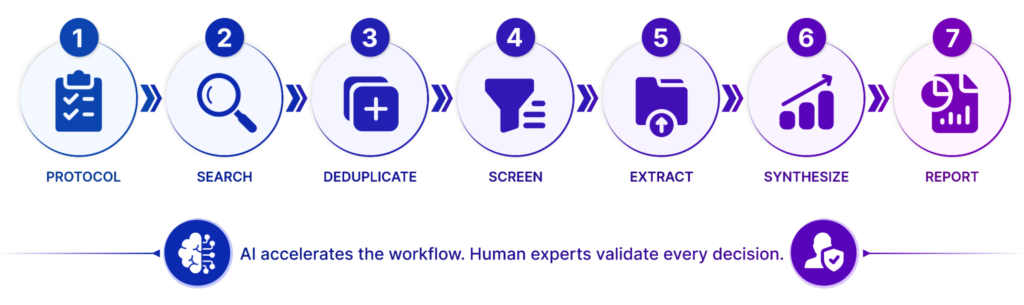 When you step back and look at the entire workflow, it becomes clear that AI‑powered systematic literature reviews are not just about saving time, but they’re about transforming the way evidence is gathered, assessed, and communicated. With MadeAi, you move seamlessly from searching and deduplication to screening and extraction, then into analysis, synthesis, and reporting, all within a structured environment that balances automation with human oversight. Each stage is designed to reduce manual effort while maintaining transparency, reproducibility, and rigor, ensuring that your review process is both efficient and credible. Ultimately, the strength of AI‑powered SLR lies in its ability to help you focus on what matters most: interpreting evidence and generating insights that inform better decisions. By combining automated relevance prediction, data extraction, and reporting tools with established standards like PRISMA and quality appraisal frameworks, you can deliver reviews that are faster, more consistent, and more impactful. In short, MadeAi doesn’t just streamline the process—it empowers you to produce systematic reviews that are greater in value than the sum of their parts. Ready to try it? Start with a well-defined question, clear criteria, and a reliable workflow. Your next SLR will thank you.
 Helpful Tips
- Write clear, non-overlapping inclusion/exclusion criteria and prioritize them wisely (broad criteria first).
- Test your criteria on a small sample of 10-15 articles before full screening.
- Use tags generously—they make filtering and reporting much easier.
- AI results are great starting points, but always verify with human review, especially for conflicts.
- Track credits for AI tasks and plan accordingly.
- Add comments and mentions to collaborators for smooth teamwork.
- For medical devices, use structured DAPR (suitability) and TOFSC (contribution) appraisals.